The challenge
One app was trying to serve two very different businesses.
Small merchants and terminal operators felt overwhelmed by a full feature set they rarely used. Growing businesses needed invoicing, bulk disbursements, team management, and deeper controls, but those tools were buried in the same crowded interface.
We needed to reduce cognitive load at one end without limiting capability at the other.
The approach
Two modes, one consistent banking experience.
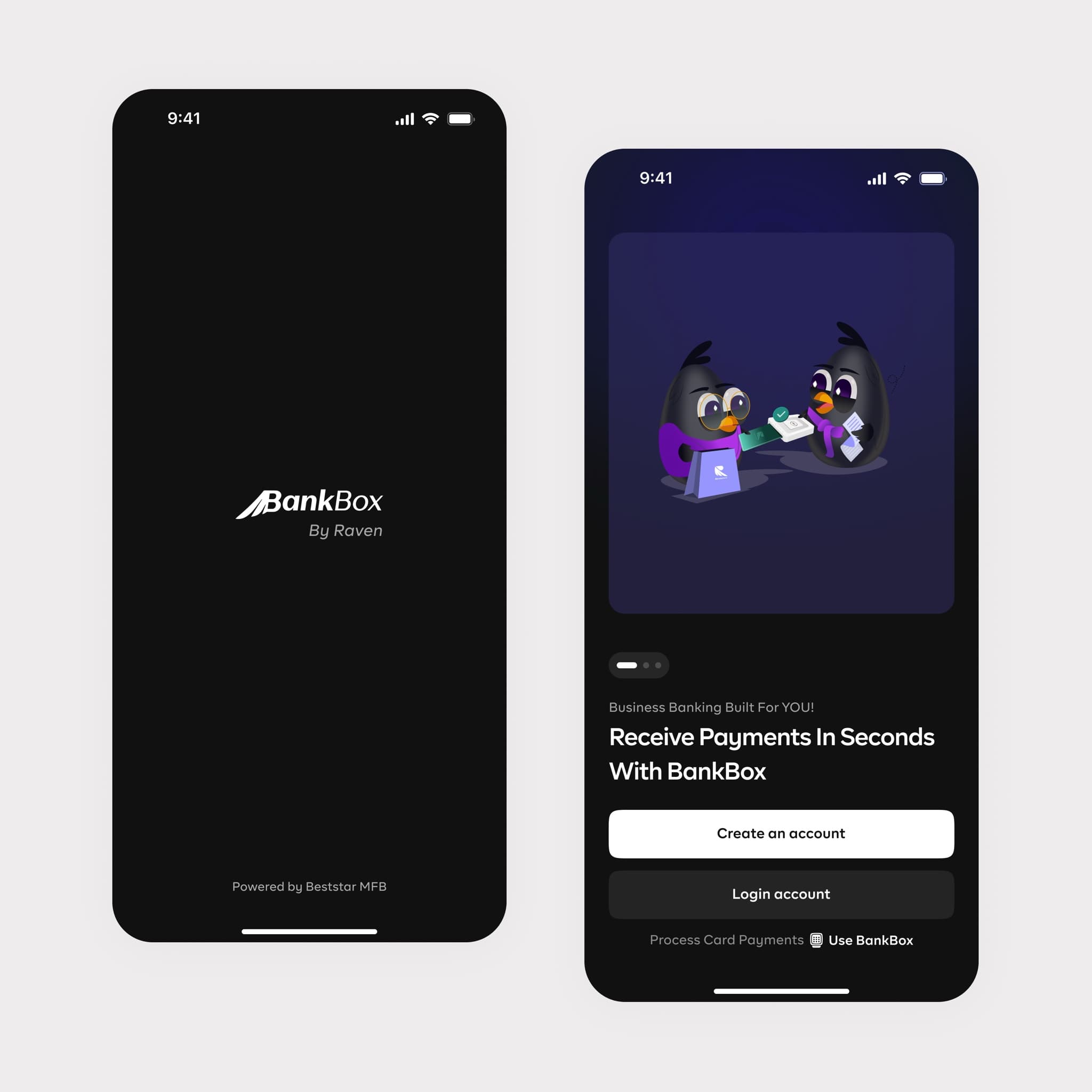
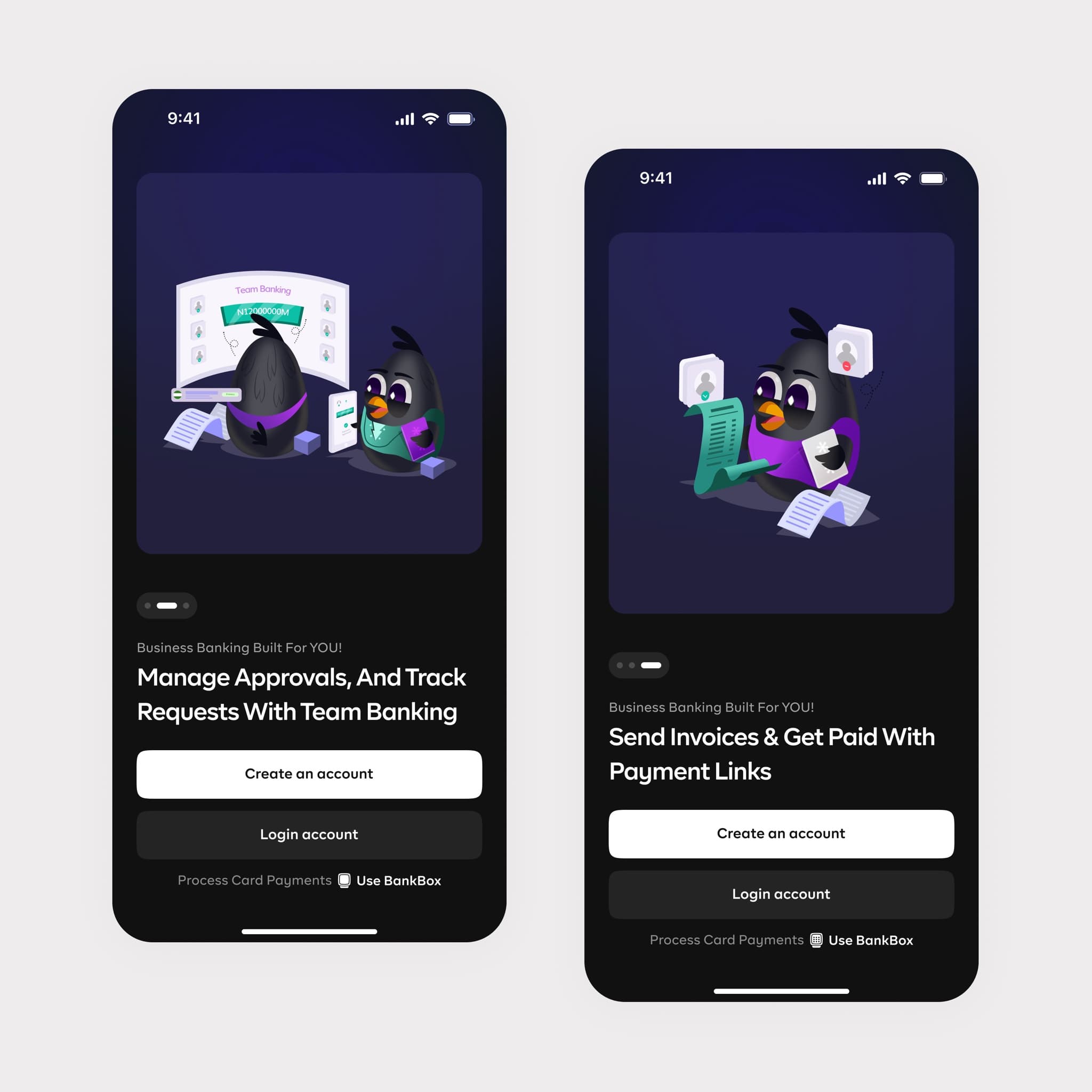
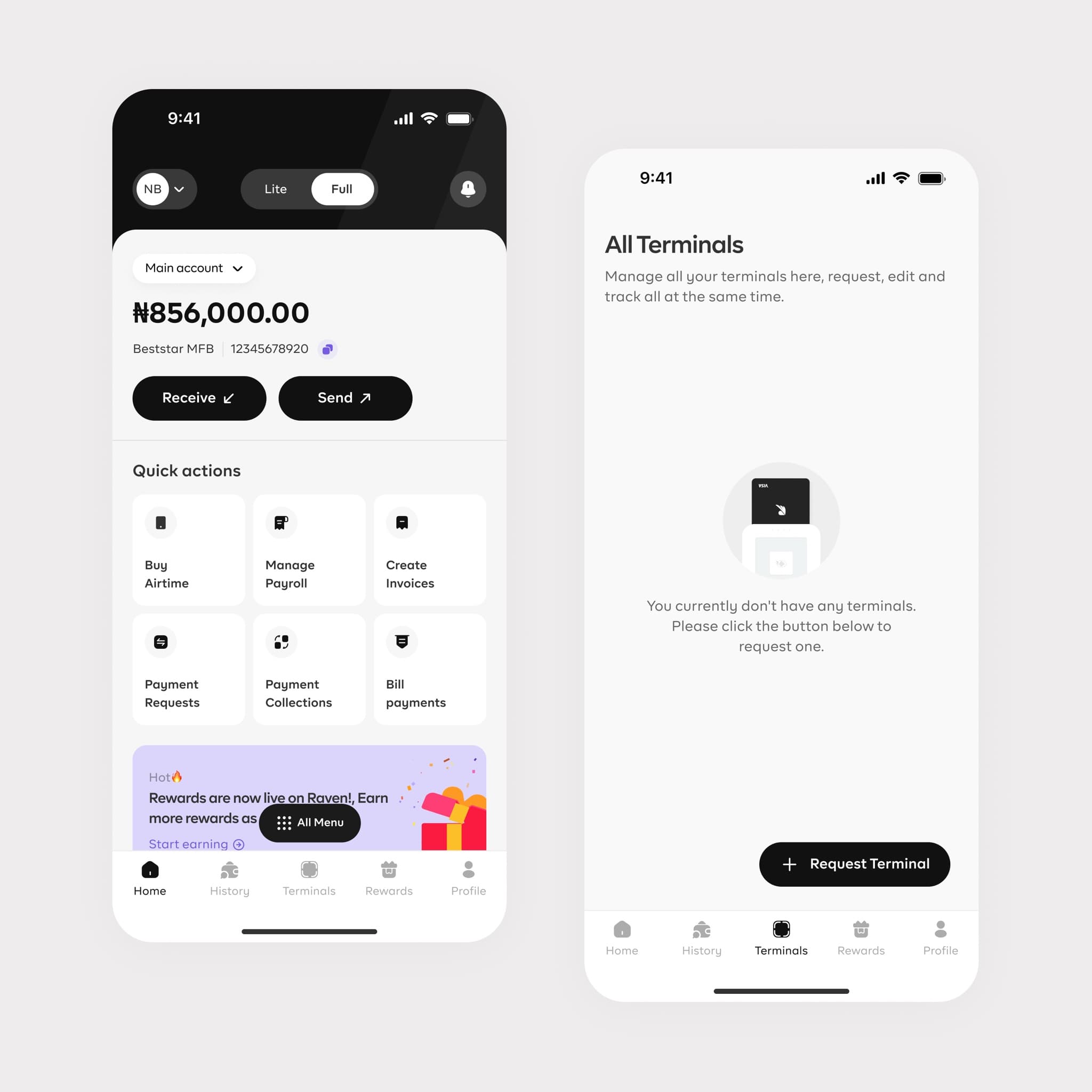
The goal was to reduce cognitive load for small merchants without limiting growing businesses. Lite keeps everyday payments, terminals, and sub-accounts focused; Pro adds structured workflows while retaining every Lite capability.
Lite mode
Simple payment tools for small merchants: terminals, sub-accounts, money movement, KYC, and rewards.
Pro mode
Advanced controls for growing teams: payment links, bulk disbursements, permissions, and team management.
01
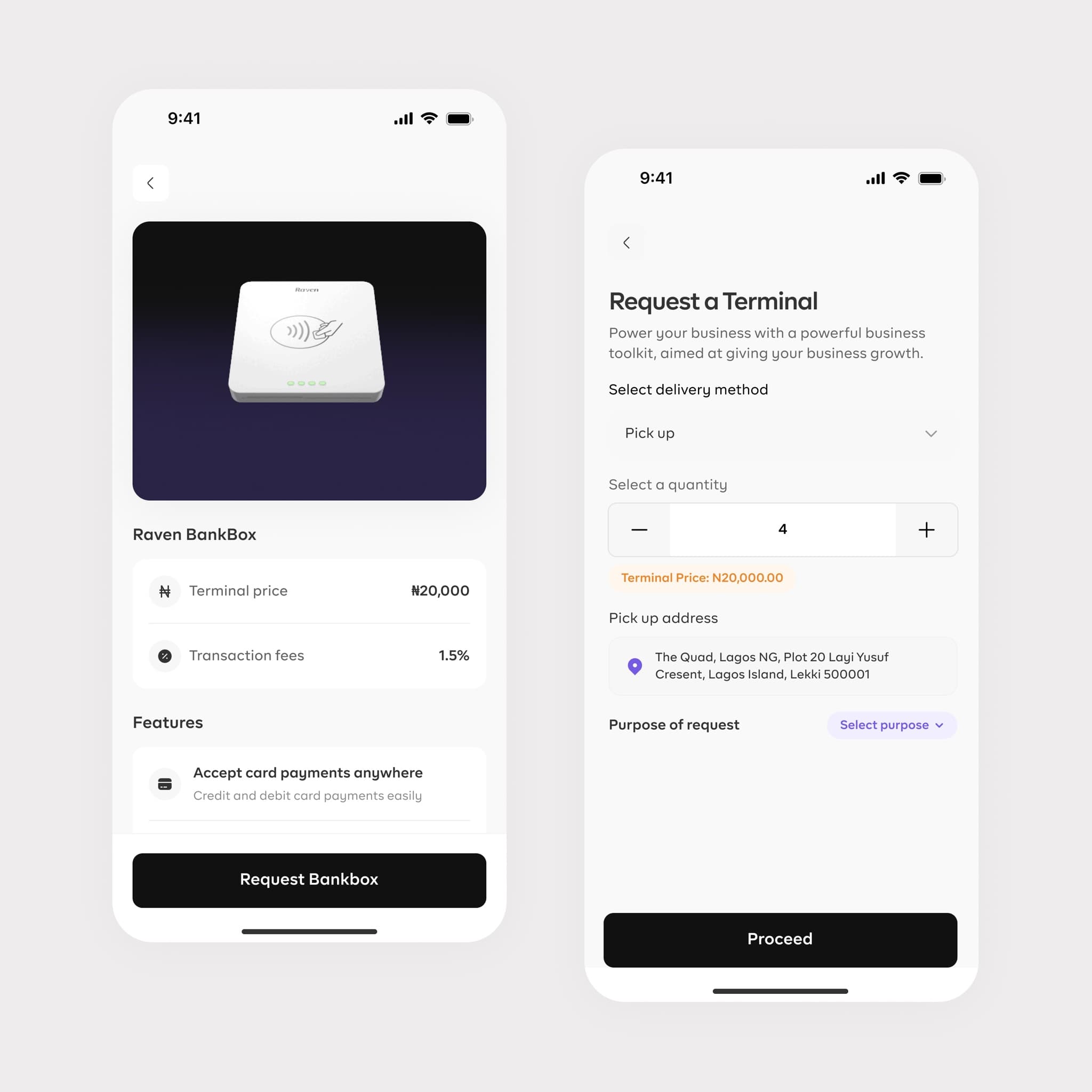
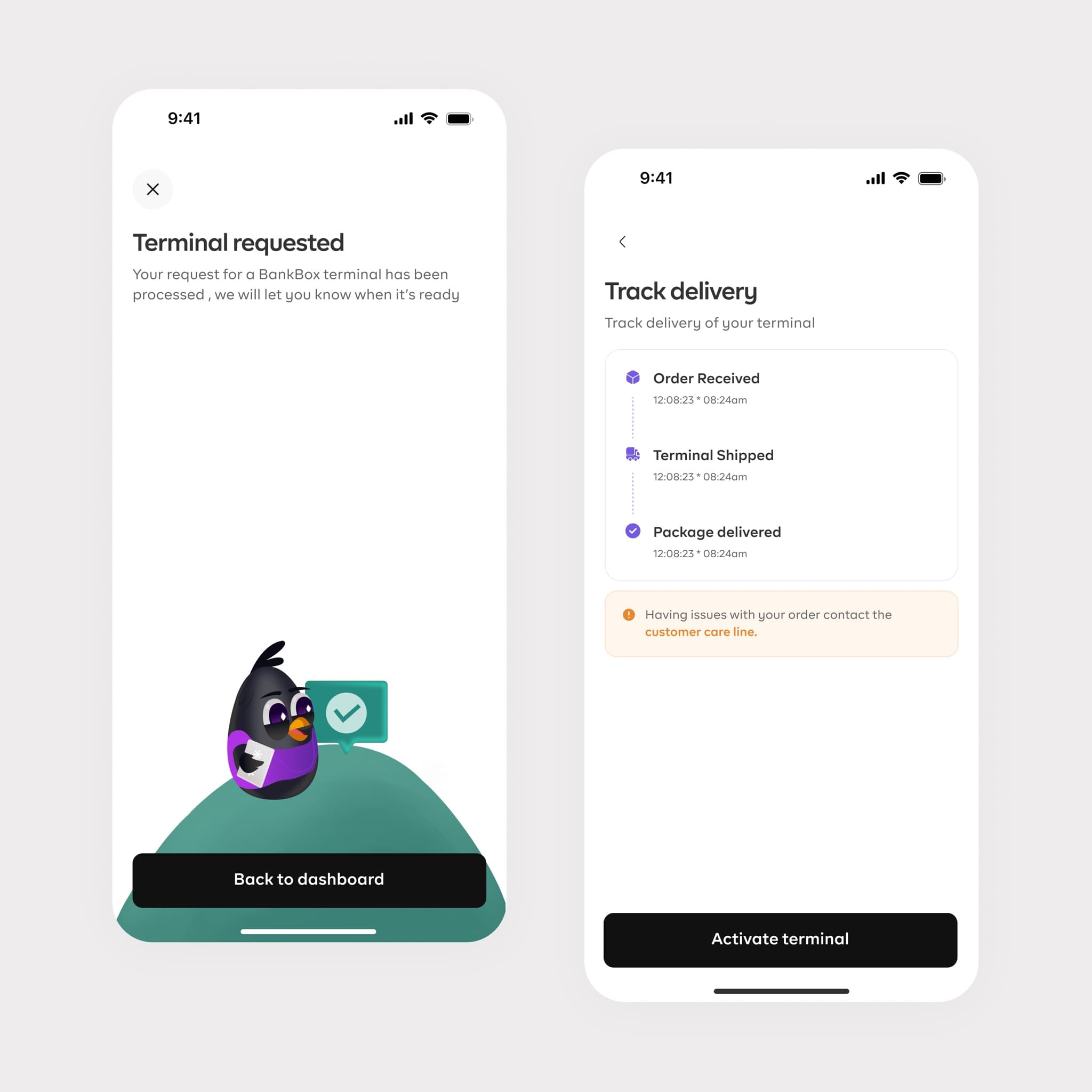
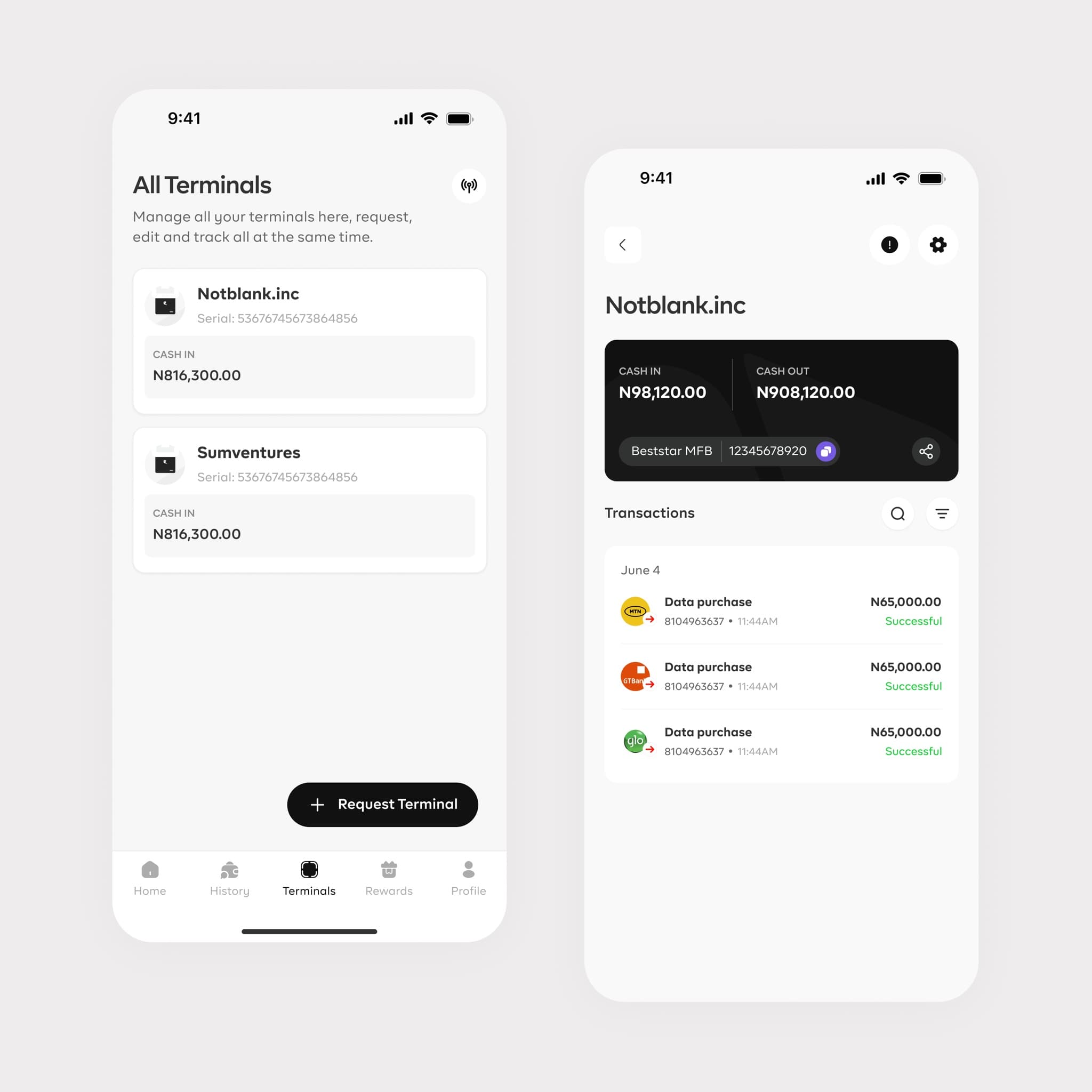
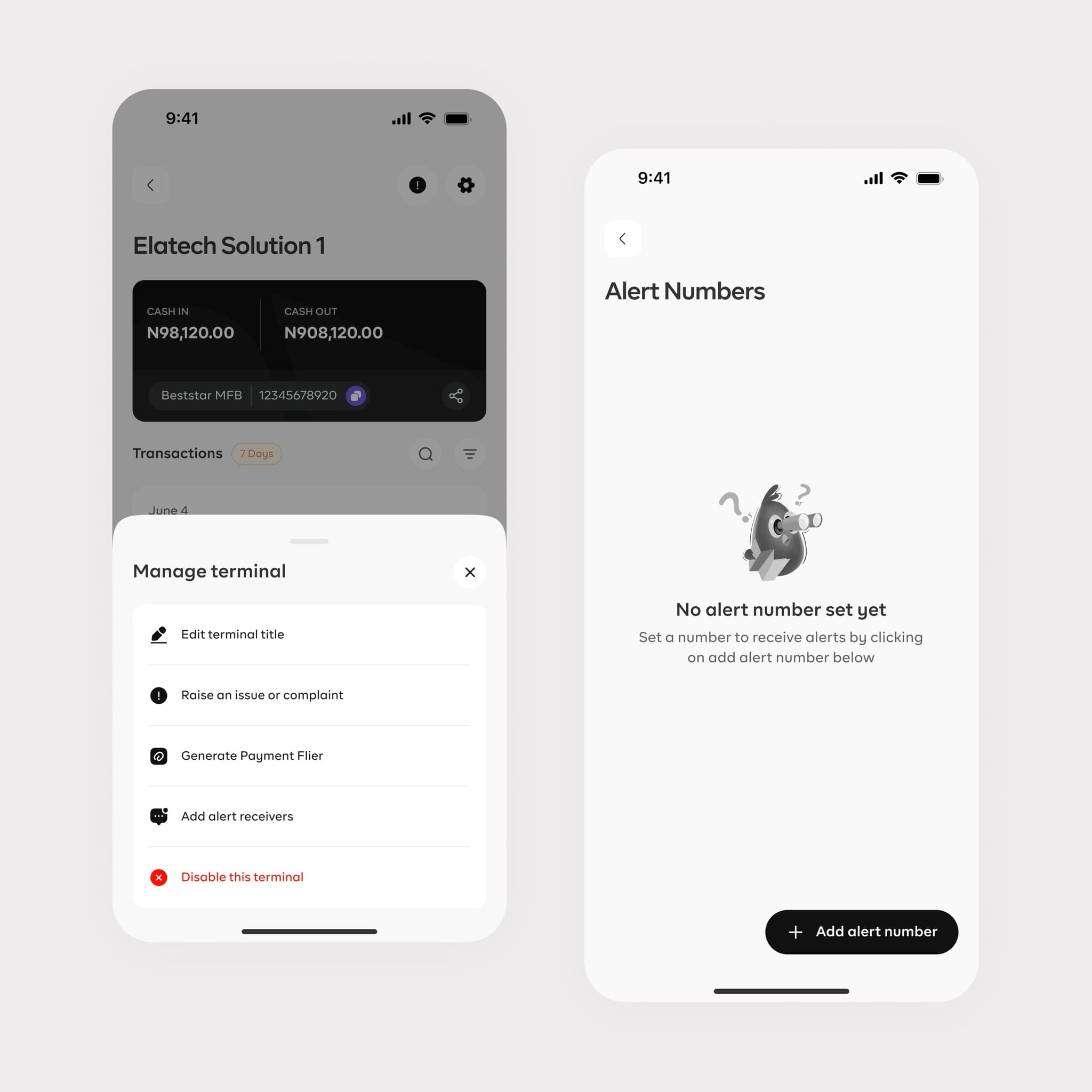
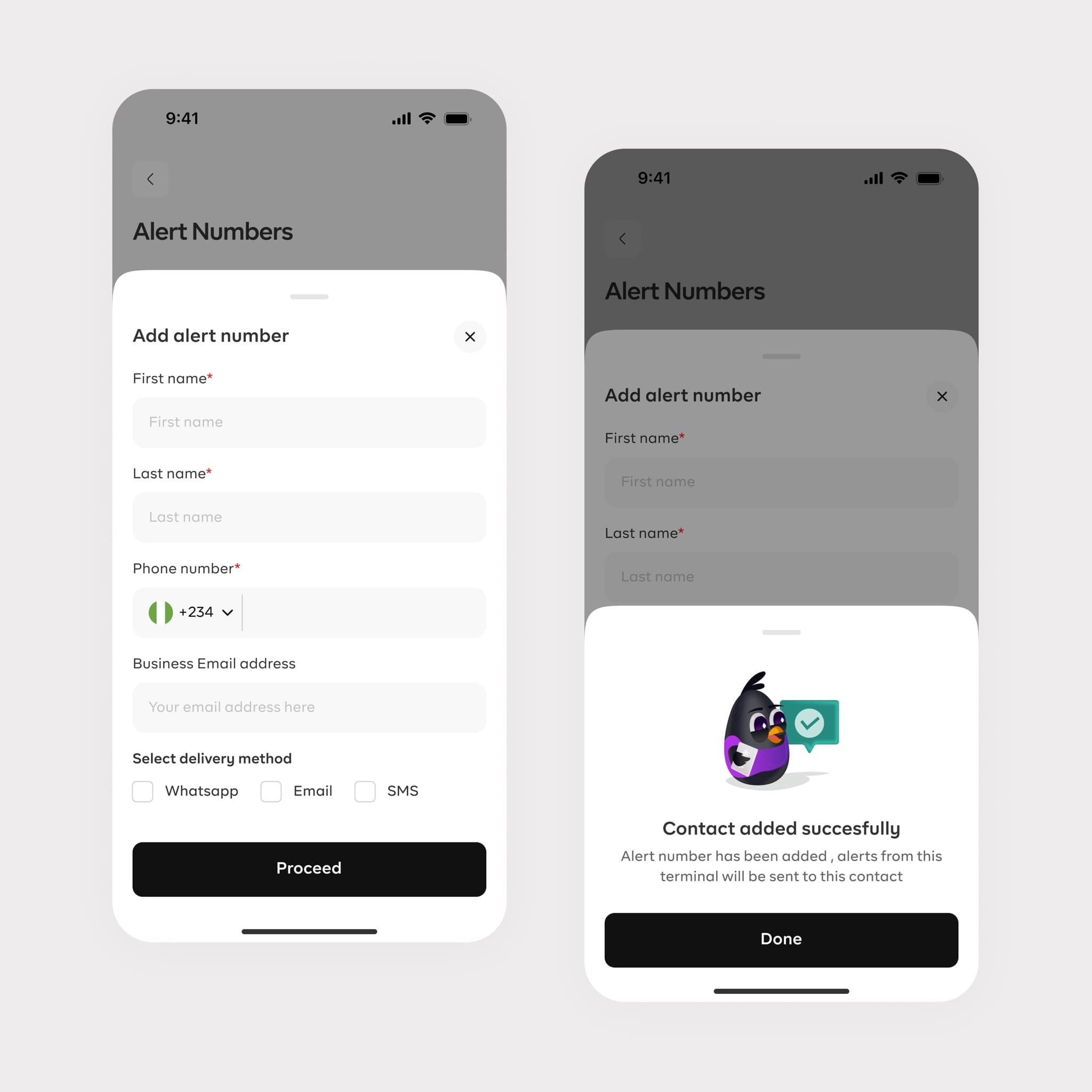
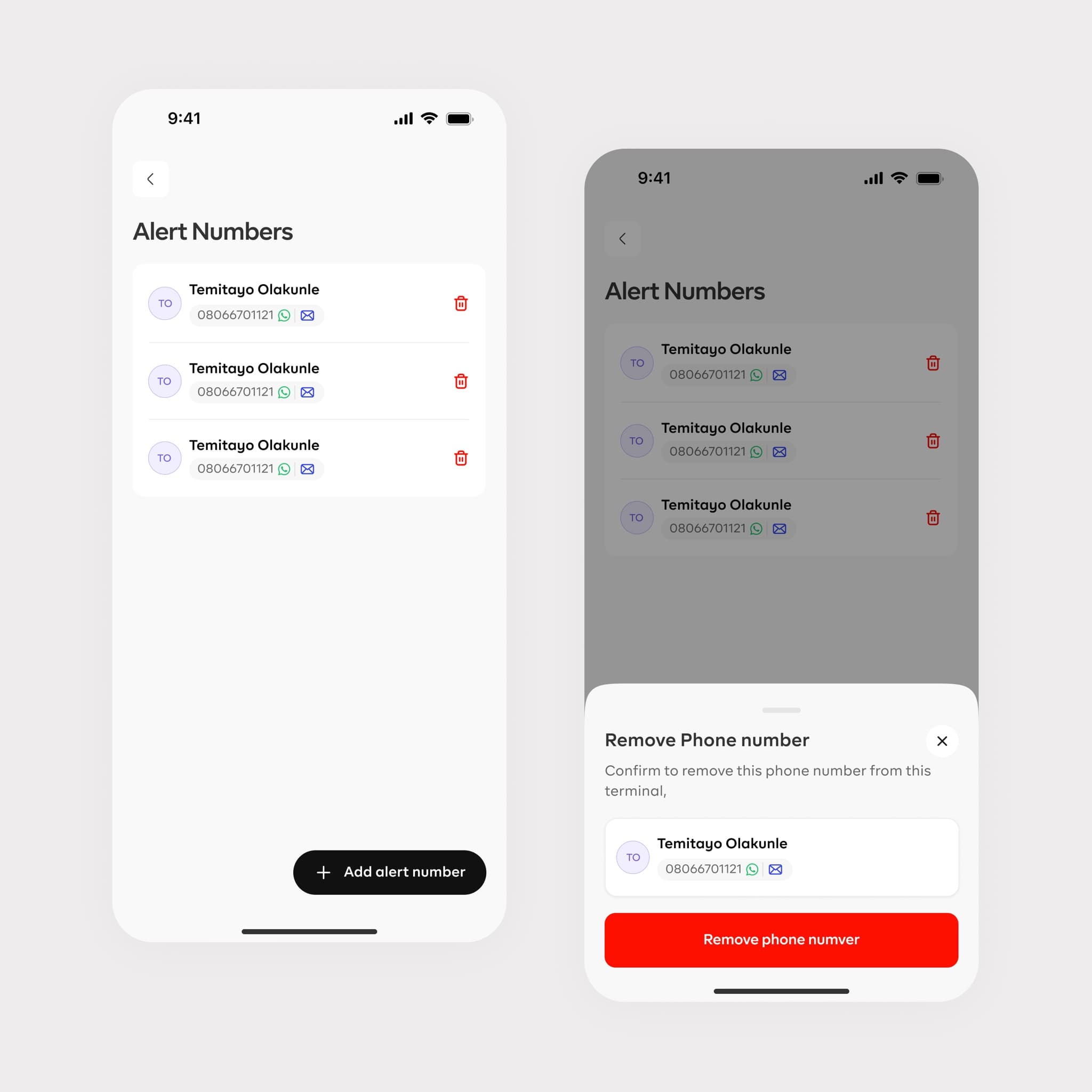
Terminal management
A self-service terminal experience for requesting and tracking physical or virtual terminals, receiving transaction alerts, and managing daily actions without contacting support.
- Request and track
- Real-time alerts
- Self-service controls
02
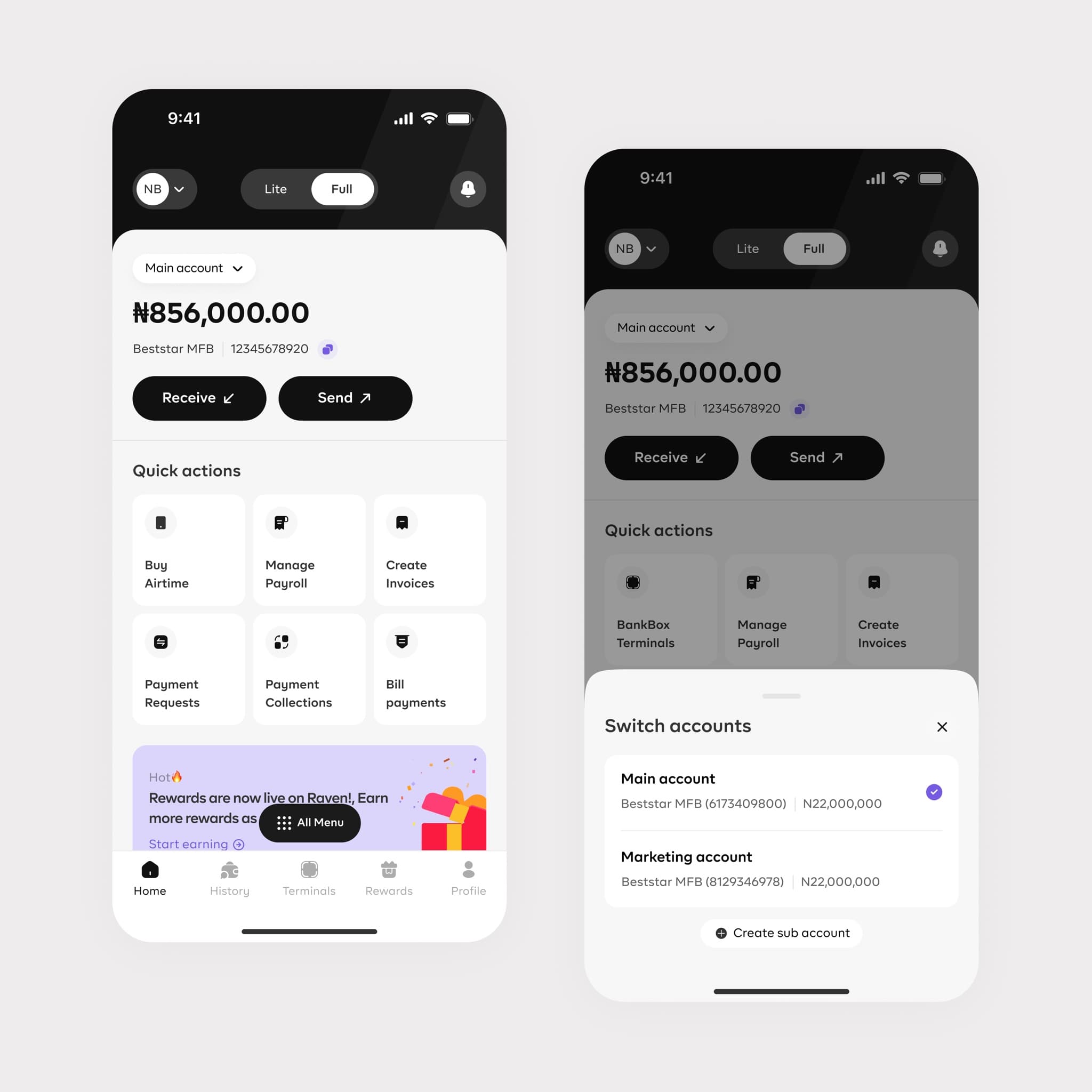
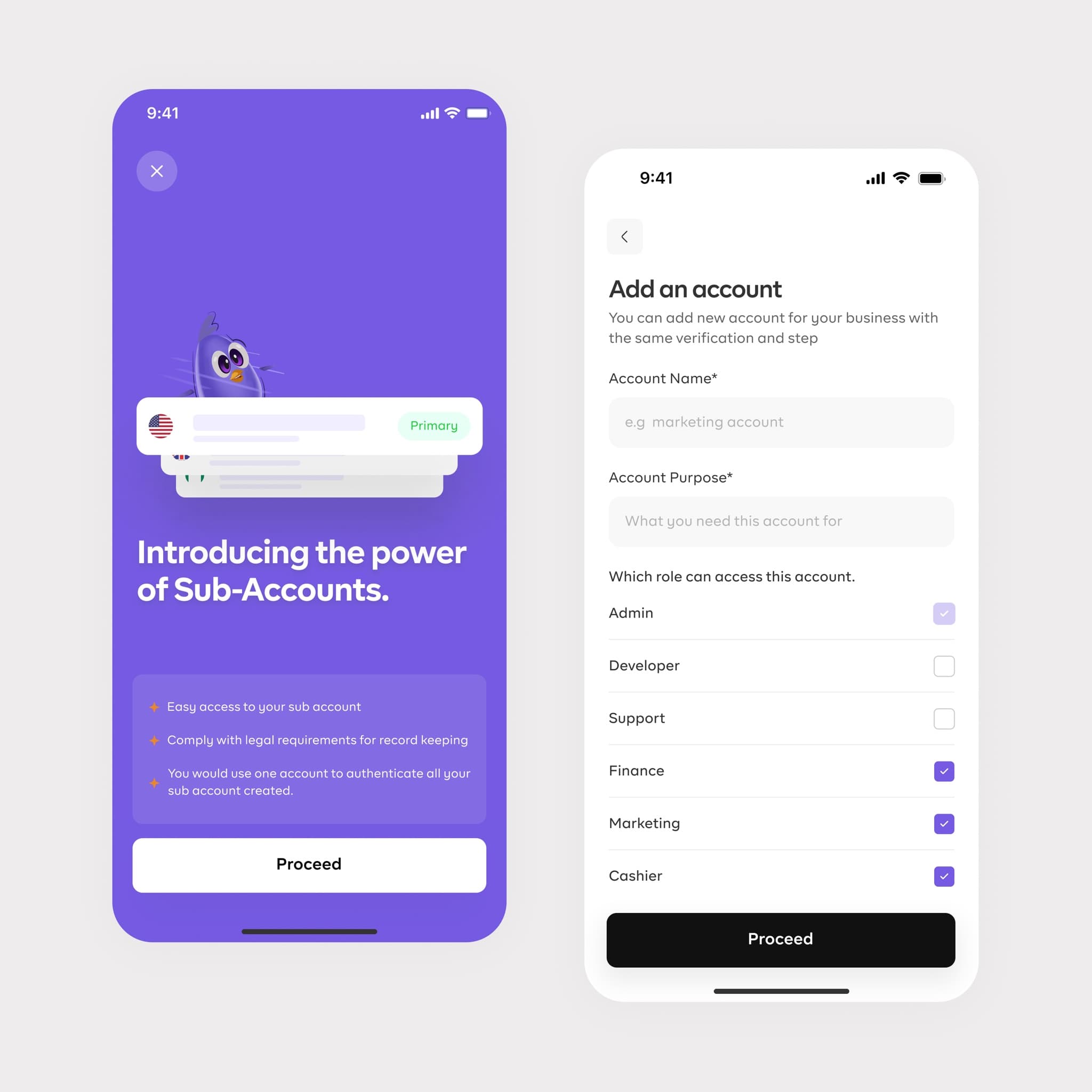
Sub-accounts
Dedicated wallets help businesses organize teams, branches, and workflows while keeping balances, permissions, and quick money actions visible.
- Dedicated wallets
- Role-based access
- Balances at a glance
03
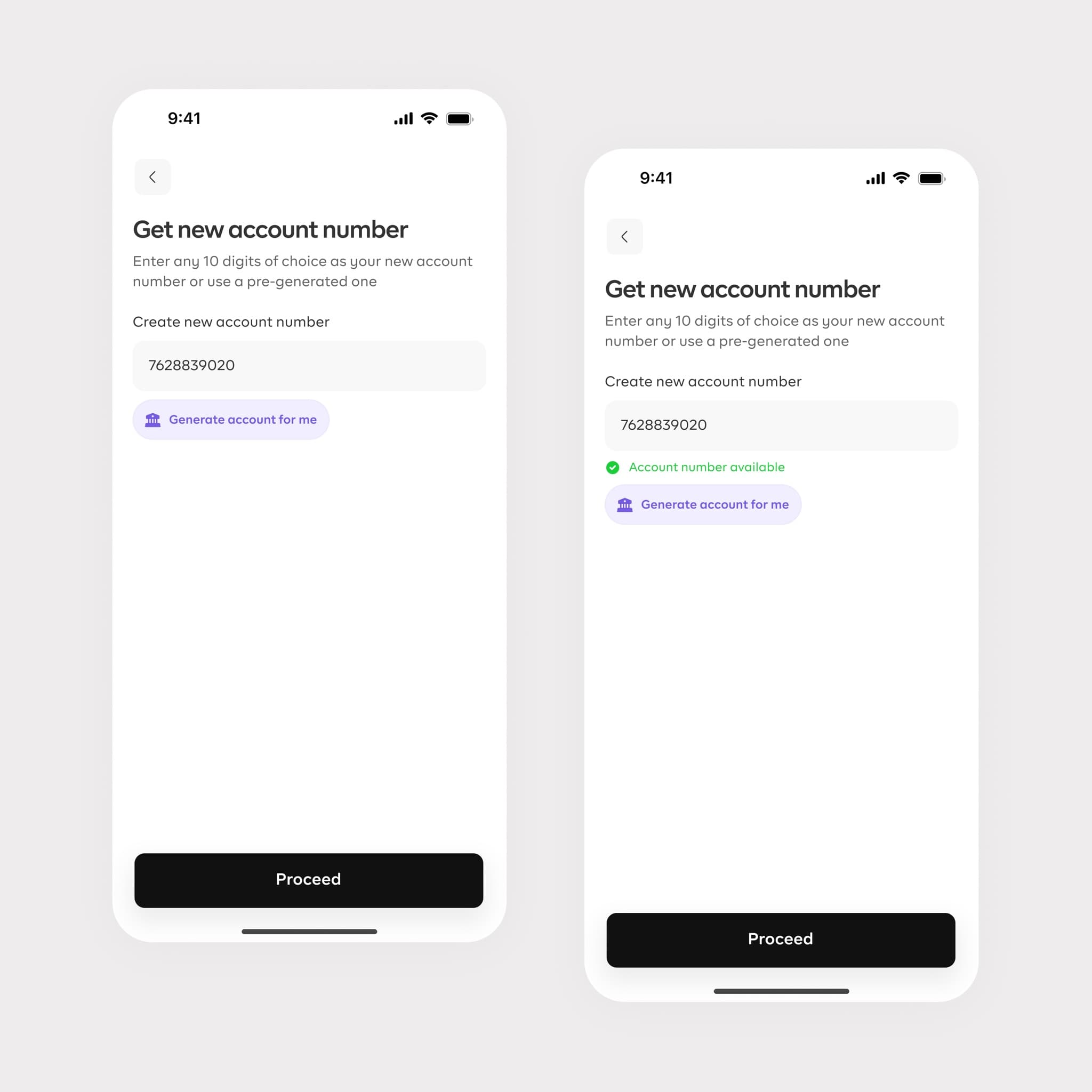
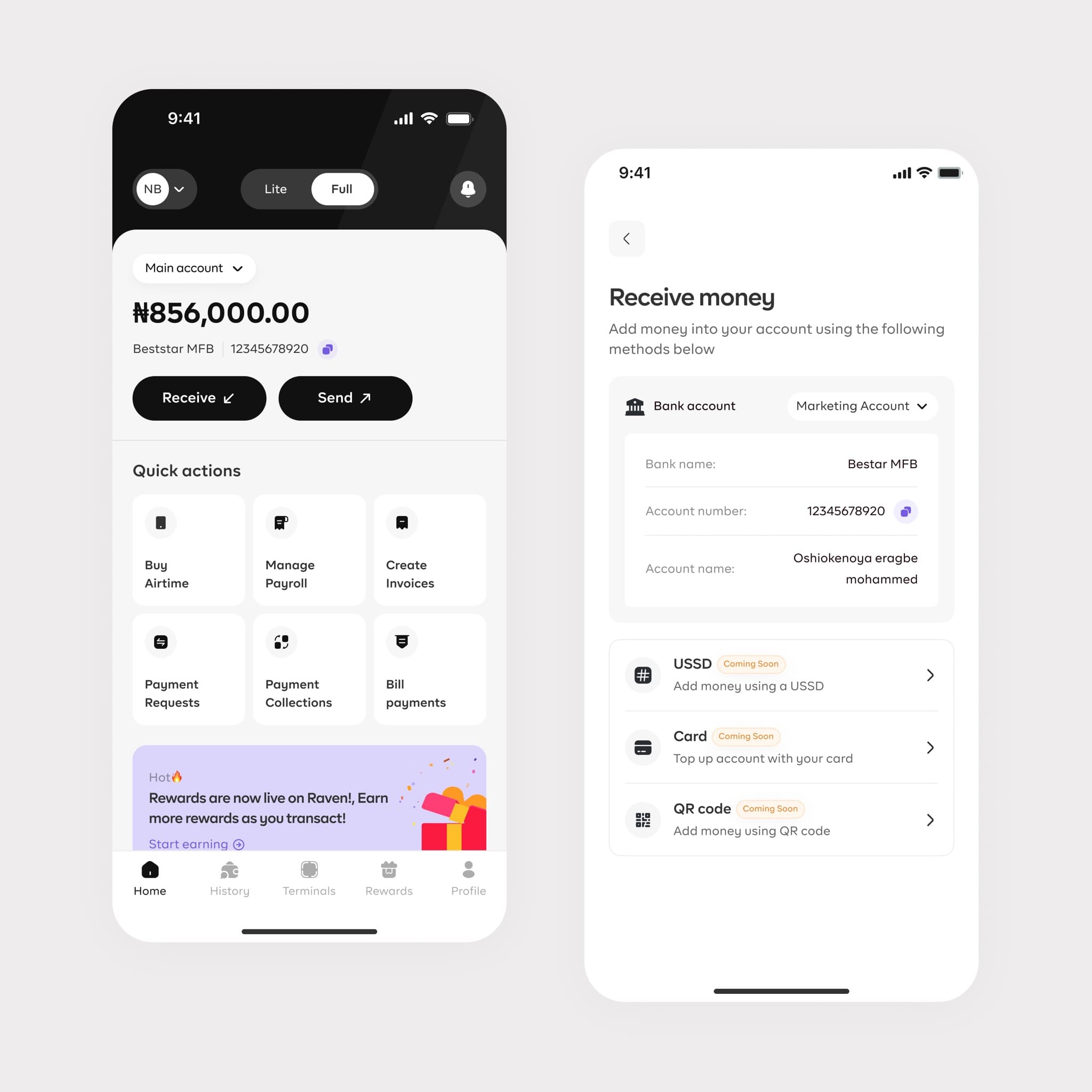
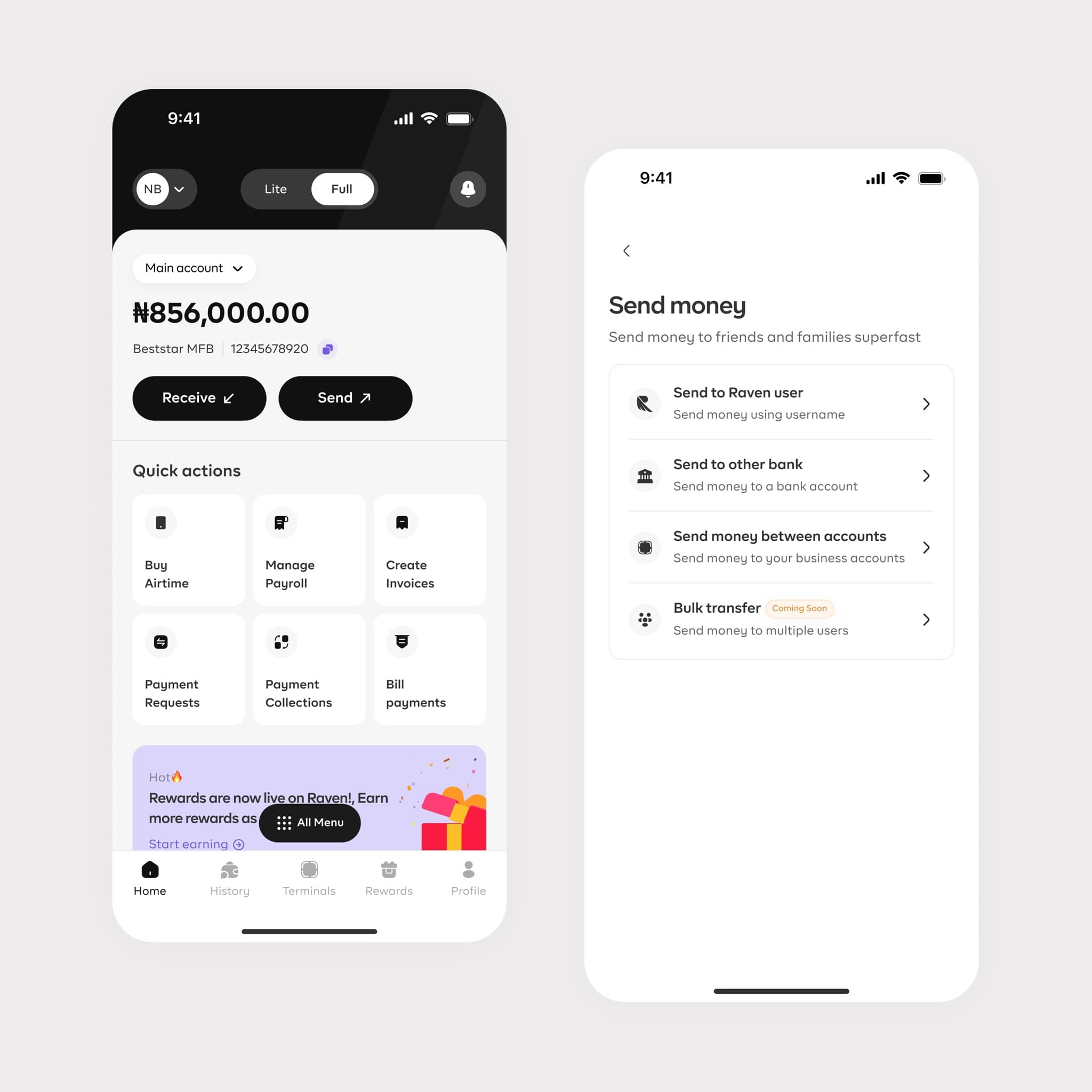
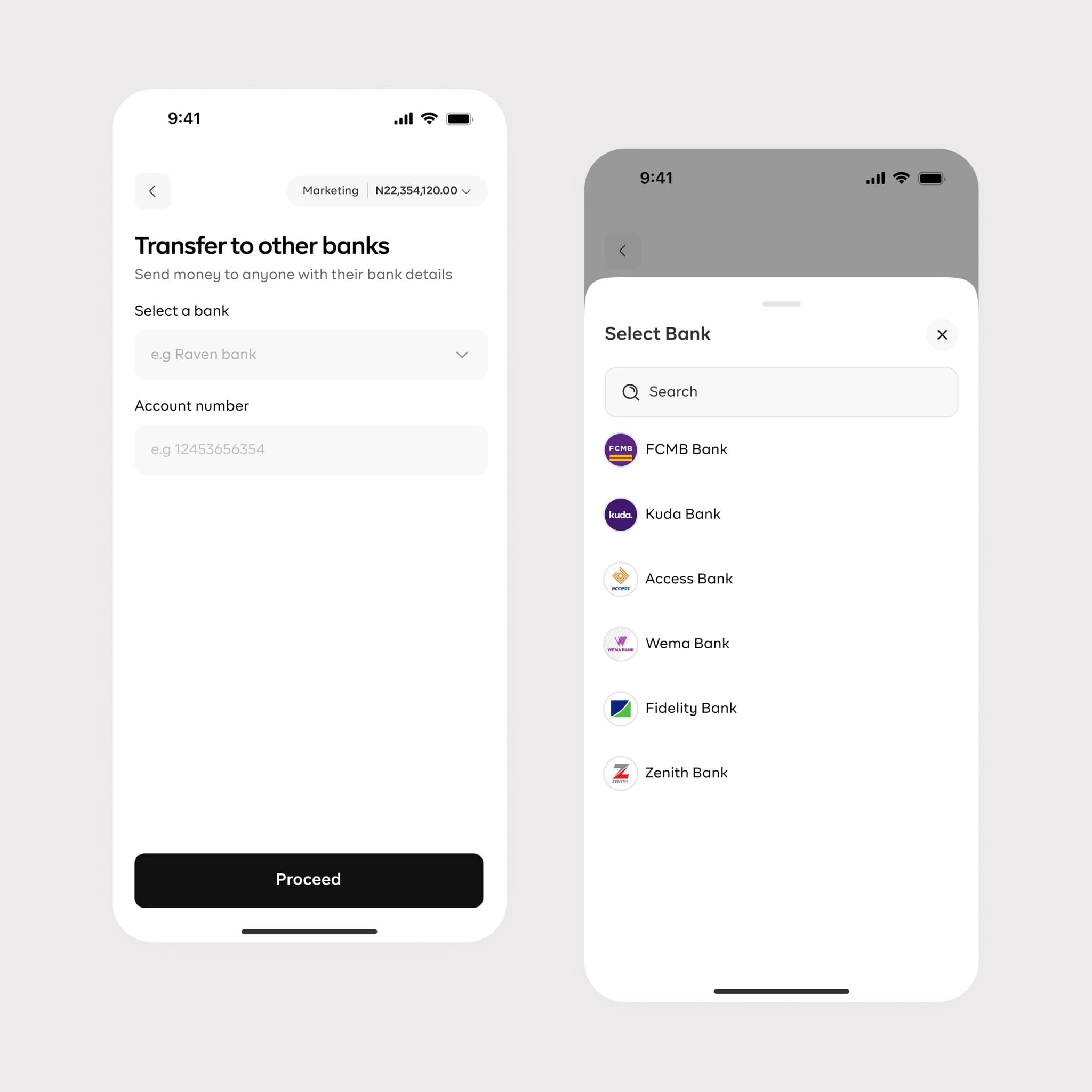
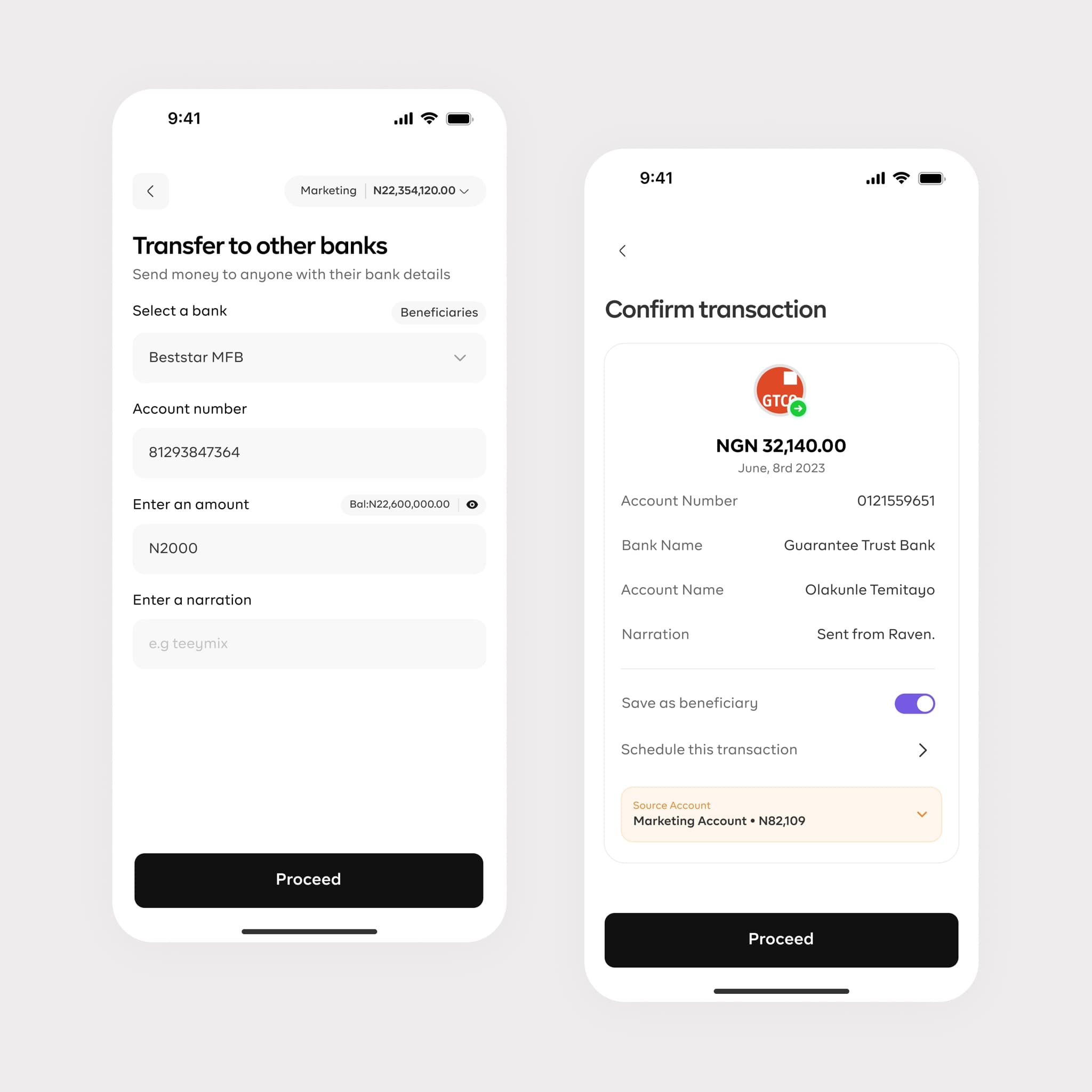
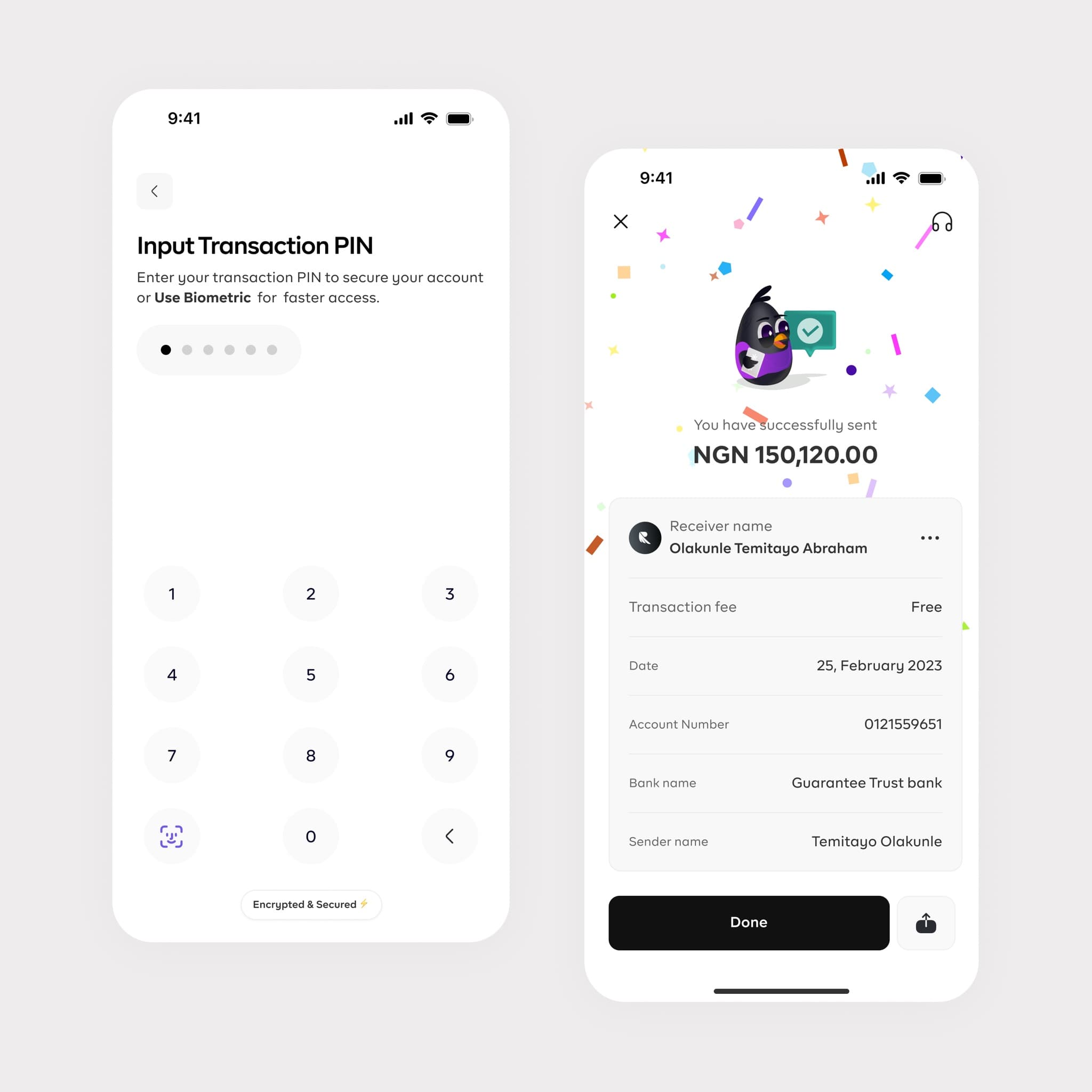
Sending and receiving money
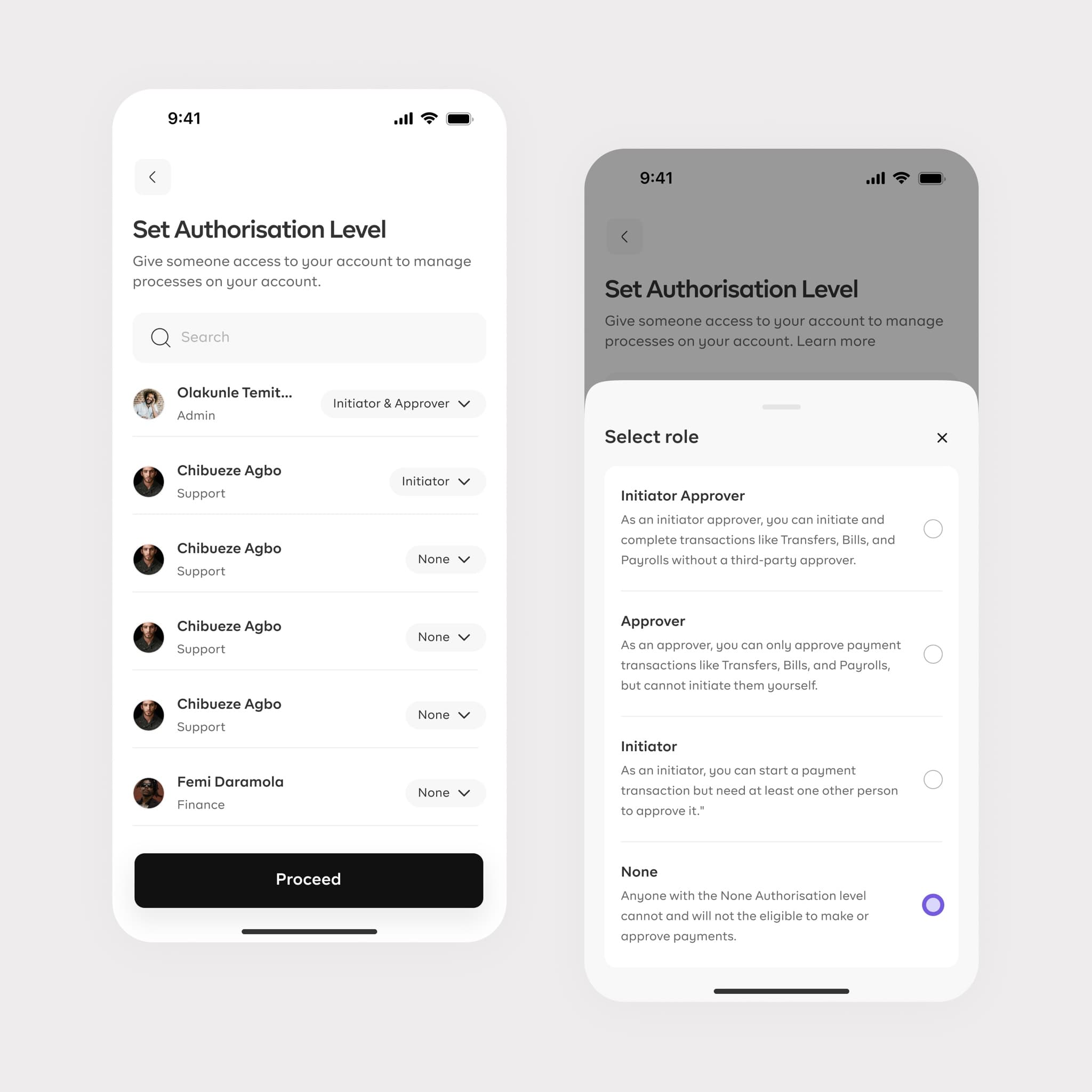
Controlled money movement between sub-accounts and external banks, with clear confirmations, authorization rules, and fully traceable transaction states.
- Internal and external transfers
- Authorization rules
- Traceable statuses
04
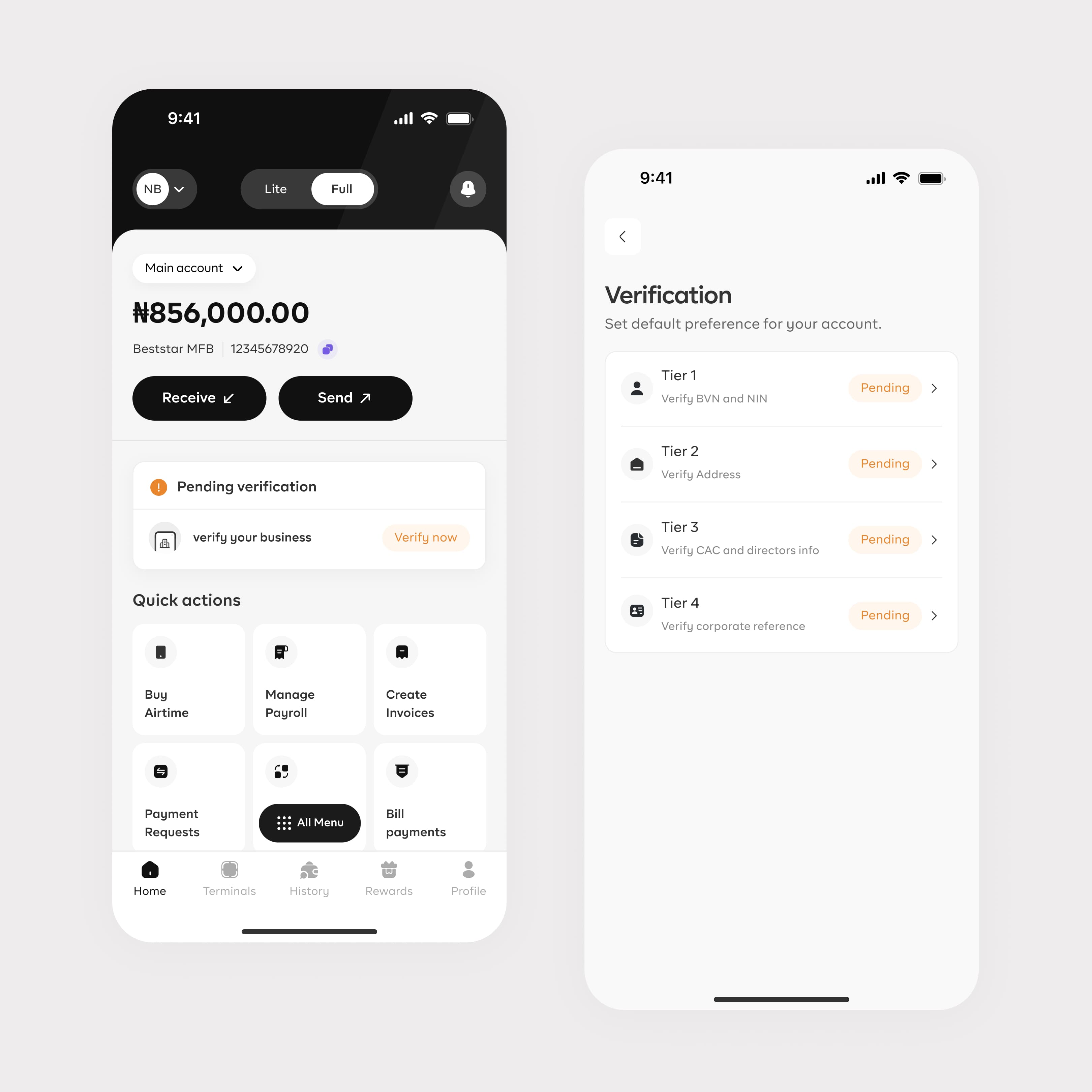
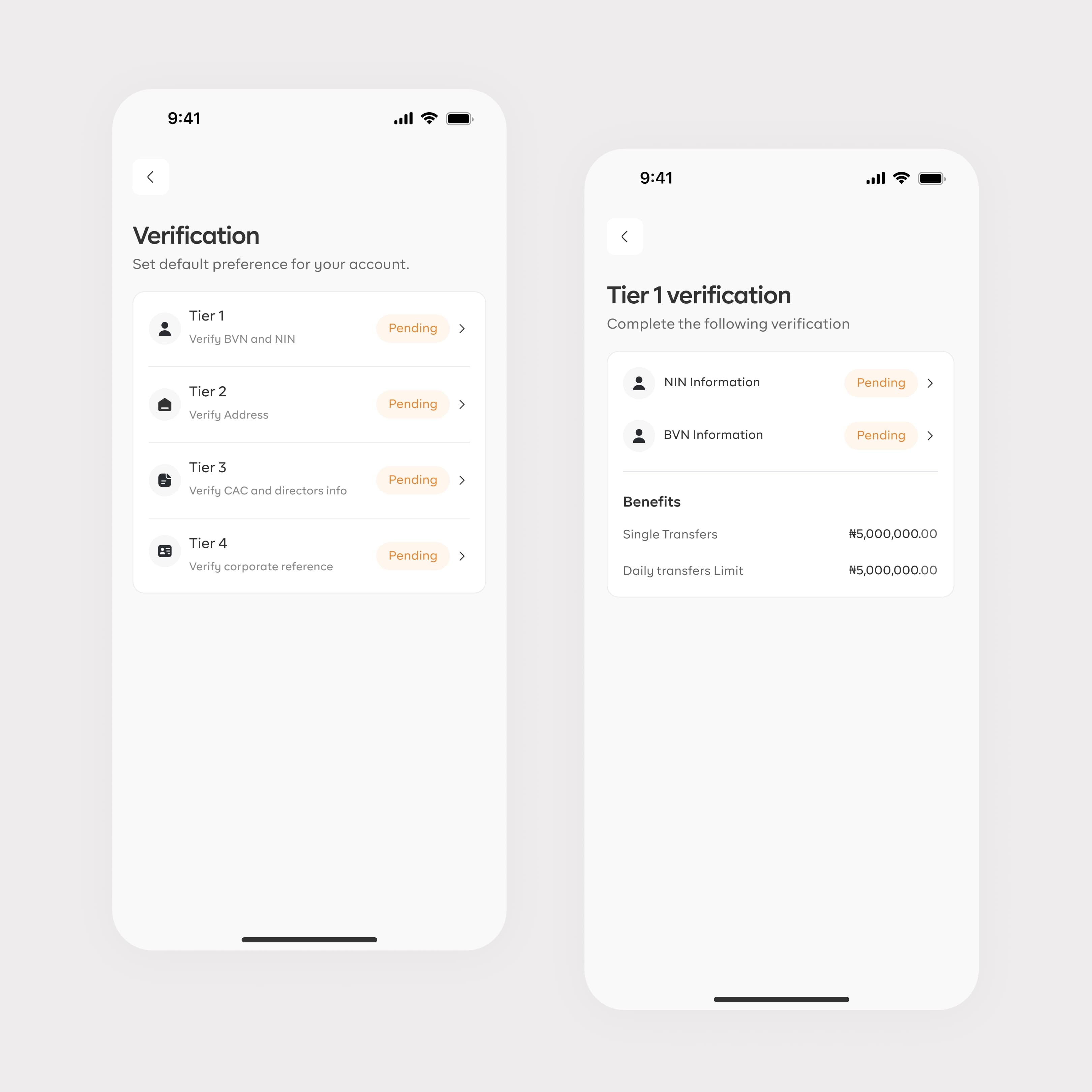
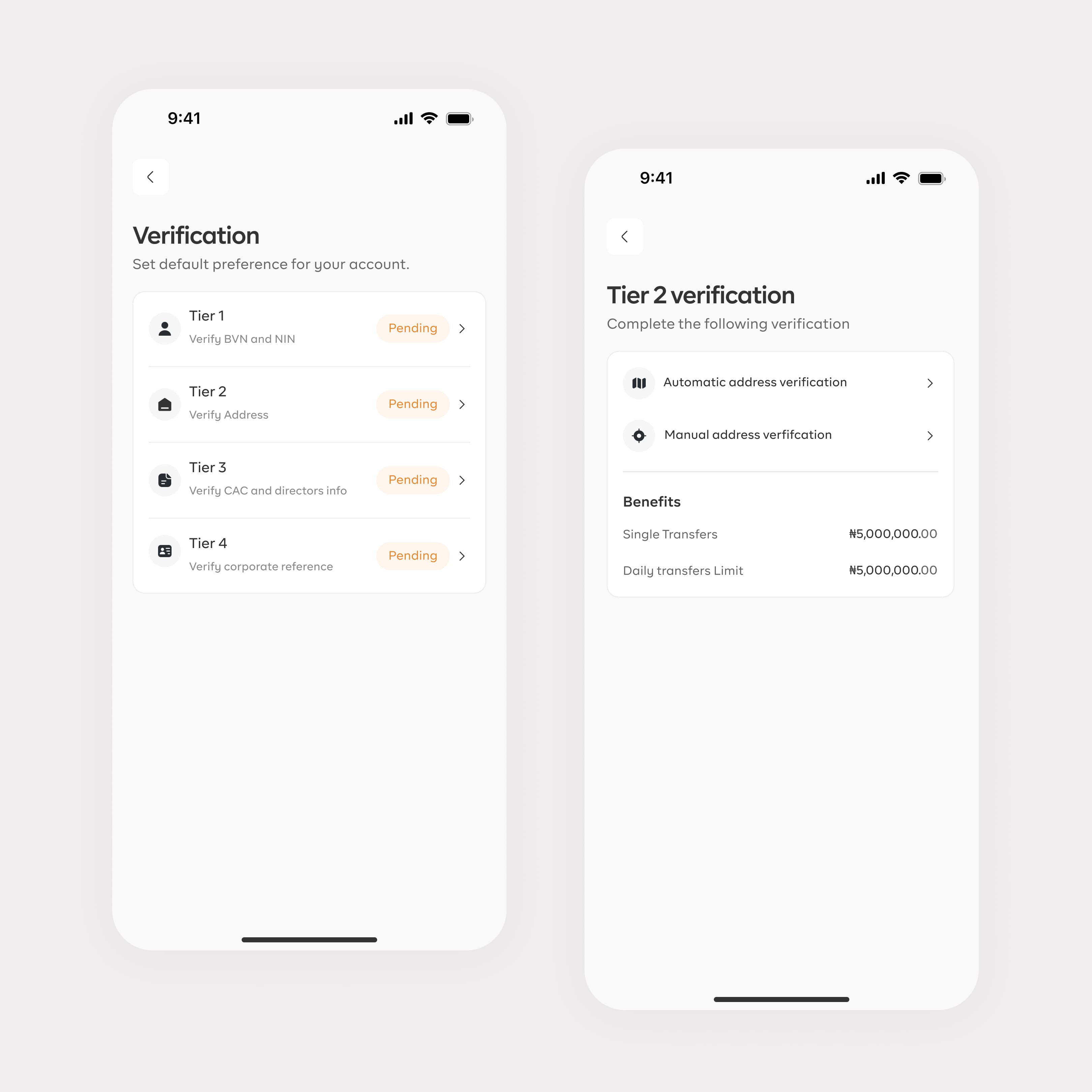
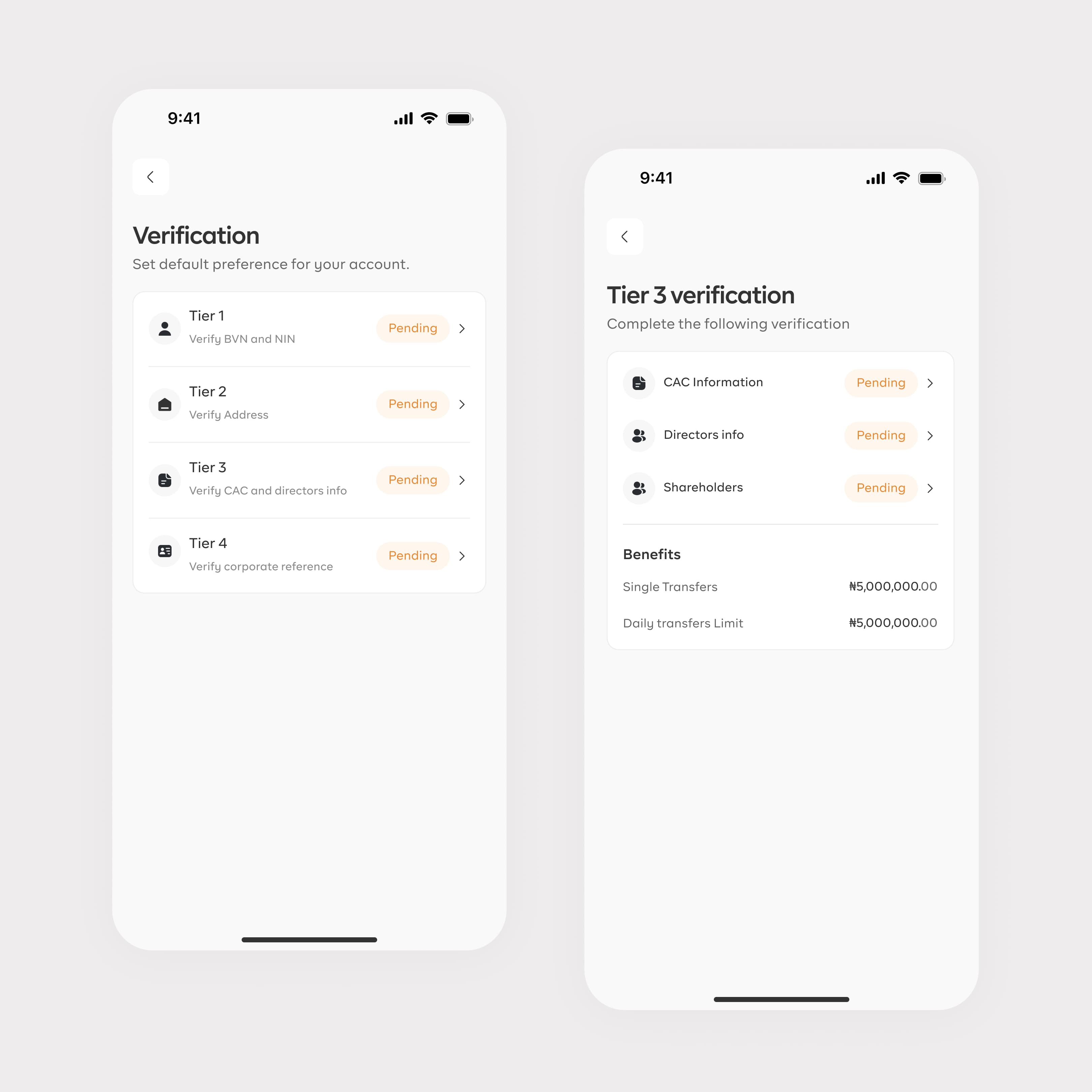
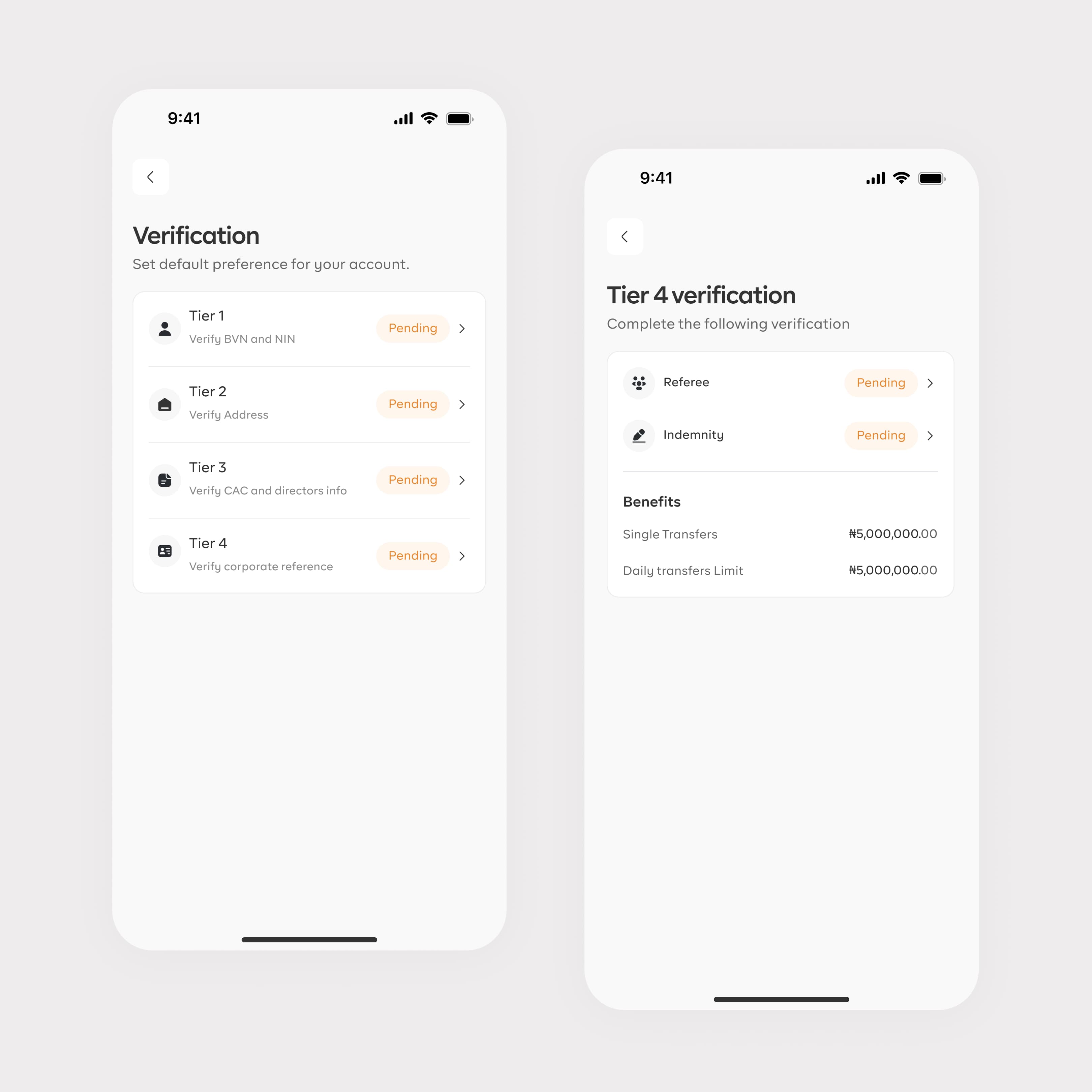
KYC verification
A multi-tiered verification flow helps businesses meet regulatory requirements and unlock higher account privileges, transfer limits, and daily limits as their identity, address, and company documents are verified.
- Tiered verification
- Higher transaction limits
- Business documents
05
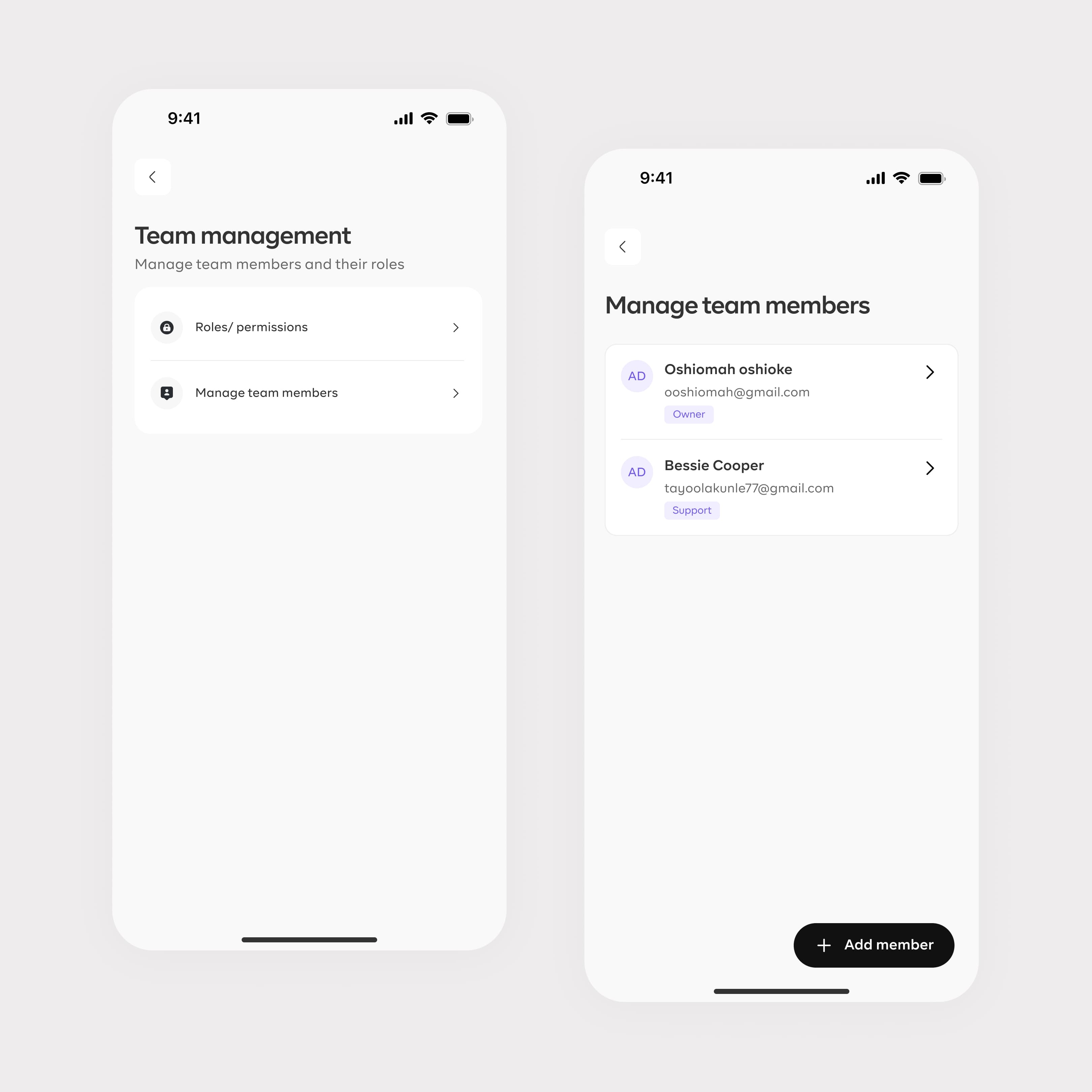
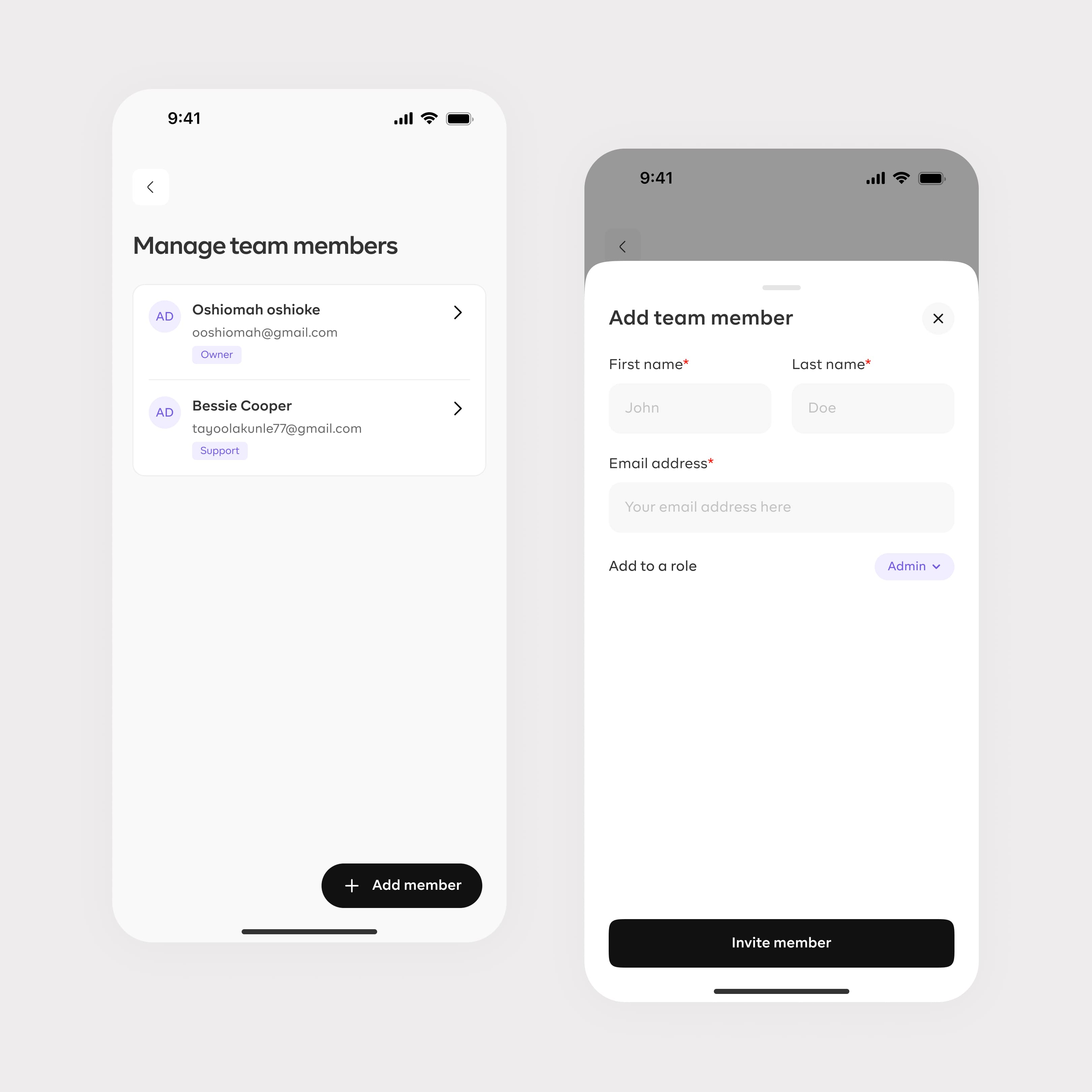
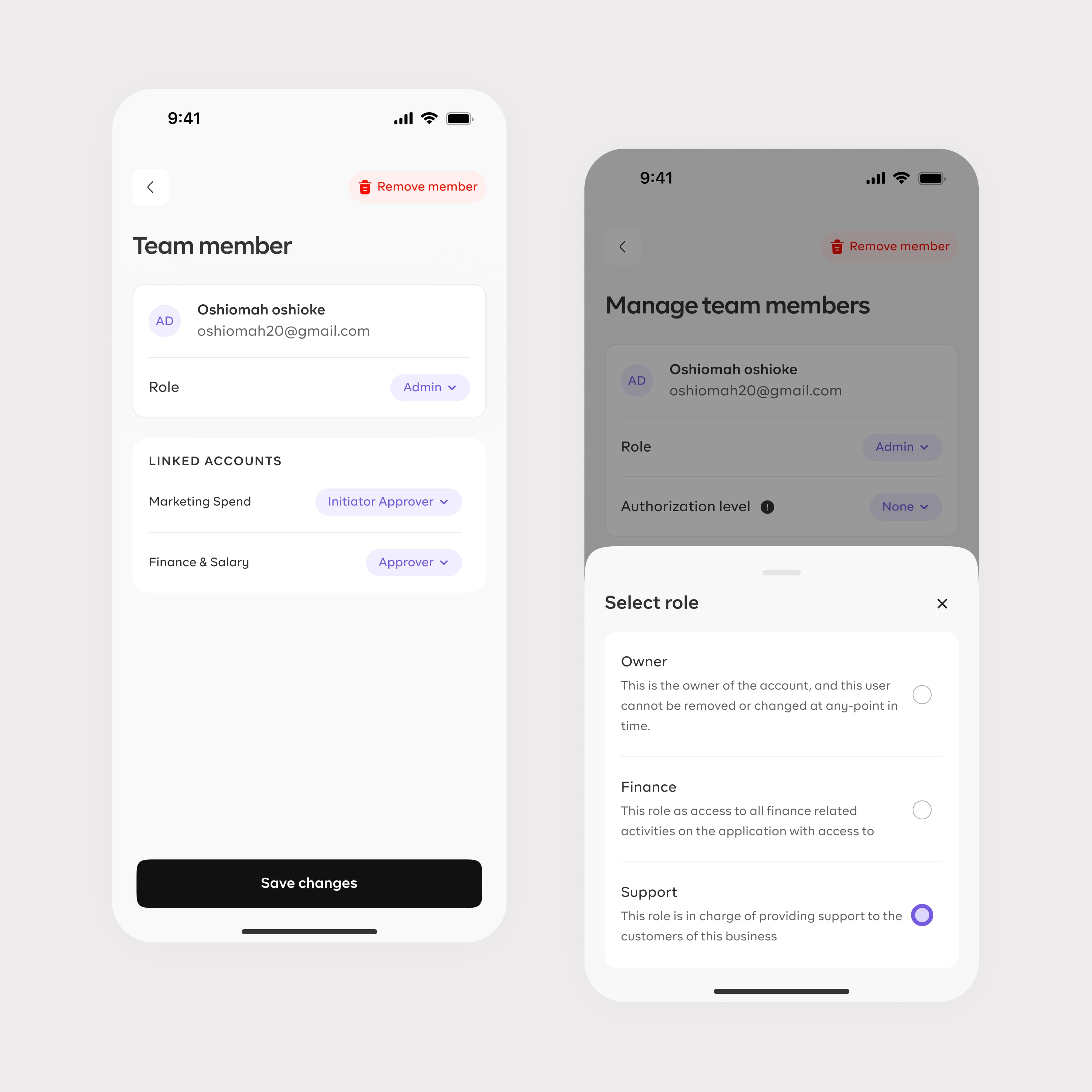
Team management
A central workspace lets growing businesses invite teammates, assign roles and authorization levels, control permissions across business functions, and update access as the organization changes.
- Invite teammates
- Roles and approvals
- Scalable permissions
The outcome
Simple for small businesses, powerful for growing SMEs.
The dual-mode product reached more than 10,000 App Store downloads while giving each business a clearer experience matched to its needs.
Next project